Venmo is a digital wallet and mobile payment service owned by PayPal. It allows users to send and receive money from friends and family members using their smartphones. One of the most common features of Venmo is the ability to request money from others. This can be useful for a variety of situations, such as splitting a bill at dinner, paying someone back for a purchase, or collecting rent from roommates.
How to request money on Venmo
To request money on Venmo, follow these steps:
- Open the Venmo app and log in to your account.
- Tap the Pay/Request button at the bottom of the screen.
- Search for the person you want to request money from and tap their name.
- Enter the amount of money you want to request and add a note (optional).
- Tap Request.
The person you requested money from will receive a notification on their phone. They can then choose to pay you or ignore the request.
Tips for sending money requests on Venmo
Here are a few tips for sending money requests on Venmo:
- Be clear about what you're requesting money for. Include a note in your request to remind the other person what they owe you.
- Be polite. Avoid sending demanding or rude requests.
- Be patient. It may take some time for the other person to see your request and pay you.
- If you don't receive payment within a reasonable amount of time, you can send a follow-up request. However, avoid being too pushy.
When to use Venmo requests
Venmo requests can be used in a variety of situations, such as:
- Splitting bills with friends or family members
- Paying someone back for a purchase
- Collecting rent from roommates
- Paying for services, such as babysitting or dog-walking
- Asking for donations for a cause you care about
Benefits of using Venmo requests
Venmo requests are a convenient and easy way to send and receive money. They're also free to use. Here are some of the benefits of using Venmo requests:
- Convenience: Venmo requests can be sent and received from anywhere in the world, as long as both people have the Venmo app.
- Speed: Venmo payments are processed quickly, so you can receive money almost instantly.
- Security: Venmo uses encryption and fraud detection technology to protect your financial information.
Drawbacks of using Venmo requests
There are a few potential drawbacks to using Venmo requests:
- Fees: Venmo charges a fee for certain types of transactions, such as sending money from a credit card or receiving money for goods or services.
- Privacy: Venmo transactions are public by default, so anyone can see them. You can change your privacy settings to make your transactions private, but this is something to keep in mind.
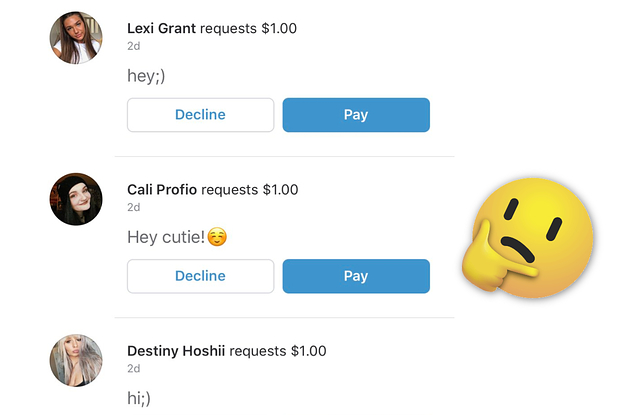
- Scams: There are some scams associated with Venmo requests. For example, someone may create a fake Venmo account and send you a request for money. Be careful about who you send money to and never send money to someone you don't know and trust.
Overall, Venmo requests are a convenient and easy way to send and receive money. They're also free to use, but there are a few potential drawbacks to keep in mind.
How to Avoid Venmo Scams
Venmo is a great way to send and receive money quickly and easily, but it's important to be aware of the potential for scams. Here are a few tips to help you avoid Venmo scams:
- Be careful about who you send money to. Only send money to people you know and trust.
- Never send money to someone who has created a fake Venmo account. Fake Venmo accounts often have similar usernames and profile pictures to real Venmo accounts.
- Be careful about what you send money for. Avoid sending money to people who are asking for money for goods or services that you have not received.
- If you're not sure about a Venmo request, don't be afraid to ask the person for more information.
Common Venmo Scams
Here are a few of the most common Venmo scams:
- The fake Venmo account scam: Scammers create fake Venmo accounts that look similar to real Venmo accounts. They then send money requests to people, often pretending to be a friend or family member.
- The overpayment scam: Scammers send people more money than they requested and then ask the person to send the extra money back. The scammer will often claim that they made a mistake or that they need the money to pay for a bill.
- The fake goods or services scam: Scammers create fake listings for goods or services on websites like
Web1. Open Venmo. 2. Tap the "Pay and Request" icon in the upper right hand corner. 3. Select a recipient by inputting a phone number, filling out someone's Venmo. WebVenmo allows you to pay and request money from your friends. At its core, Venmo provides a social way to pay your friends when you owe them money and don't want to deal with. WebCall for card support. Call the number on the back of your Venmo Debit or Credit Card. Phone support is offered from 8 a.m.–8 p.m. CT for Venmo Debit Cards and 24/7 for. WebBut can you request money with Venmo? The answer is yes – Venmo makes it easy to request funds from other users with just a few taps. In this article, we'll look at.
How to use Venmo - Send and Receive Money

Source: Youtube.com
How to Request Money from People on Venmo

Source: Youtube.com
What Is A Request On Venmo, How to use Venmo - Send and Receive Money, 8.86 MB, 06:27, 685,977, Howfinity, 2020-04-13T21:30:02.000000Z, 2, Venmo Users Are Being Bombarded With Requests From Strangers After Making Public Transactions, 415 x 625, jpg, , 3, what-is-a-request-on-venmo
What Is A Request On Venmo. WebThe moment you send a payment on Venmo, we send a request to your bank/card company to debit the funds and make them available to the recipient. Learn about what.
Venmo is a free app for iOS and Android to send and receive money to anyone.
All you need is a bank account or credit or debit card. You can also apply for a Venmo debit card and add money that way.
Unlike other apps designed to send or receive money, Venmo works like social media. You can share all your activities with your friends or on a public wall. You can keep all your activities private, however, if you don't want to use it as a social media platform.
Here is the step-by-step guide to using Venmo to send and receive money.
1. Download and install the Venmo app for iOS or Android
2. Go to settings and add a bank account or credit or debit card
3. To send or request money, click on the top-right pencil/money icon. Find the person via search. Choose the amount you want and leave a note.
Now select send or request.
Change the visibility of your post (it will be public by default)
4. You can also get a Venmo Debit card and not use your other cards. Add money to the Venmo card and only use that for Venmo money transfers.
5. Transfer Money out of Venmo to your bank with the transfer balance option. You can do it instantly or you can use the no-fee option which will take 1-3 days.
Other apps for sending and receiving money:
How to Use CashApp
youtube.com/watch?v=9LpC_5Ke5HE
How to Use Apple Pay
youtube.com/watch?v=DQrCCSruALI&t=5s
Thank you for watching this video! Please share and subscribe for more, easy to follow social media and tech videos.
=======================================
Share this video: youtu.be/iTbQvWFVNBo
=======================================
See more simple and easy to follow how-to videos.
Subscribe youtube.com/c/howfinity?sub_confirmation=1
See easy to follow how-to videos on social media and tech
howfinity.com
What Is A Request On Venmo, WebCall for card support. Call the number on the back of your Venmo Debit or Credit Card. Phone support is offered from 8 a.m.–8 p.m. CT for Venmo Debit Cards and 24/7 for. WebBut can you request money with Venmo? The answer is yes – Venmo makes it easy to request funds from other users with just a few taps. In this article, we'll look at.
Venmo Users Are Being Bombarded With Requests From Strangers After Making Public Transactions - Source: buzzfeednews.com
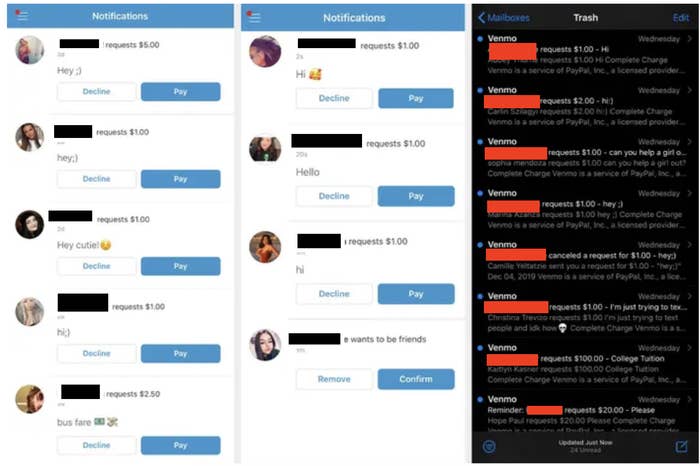
Venmo Users Are Being Bombarded With Requests From Strangers After Making Public Transactions - Source: buzzfeednews.com

Venmo Etiquette Tips That Everyone Should Know - Source: townandcountrymag.com

Belum ada tanggapan untuk "What Is A Request On Venmo"
Posting Komentar